Common Mistakes When Signing Up on Websites
Common Mistakes When Signing Up on Websites
Signing up for a new website feels routine — you've done it hundreds of times. Type your email, pick a password, click confirm. But this routine is exactly why so many small mistakes slip through unnoticed, quietly building up spam, security risks, and cluttered inboxes over time. Here are the most common sign-up mistakes people make, and how to avoid each one.
Mistake 1: Using Your Real Email for Every Sign-Up
The most common mistake by far is treating every website the same way, using your primary, real email address regardless of whether the site is a trusted service you'll use daily or a one-time download form you'll never visit again.
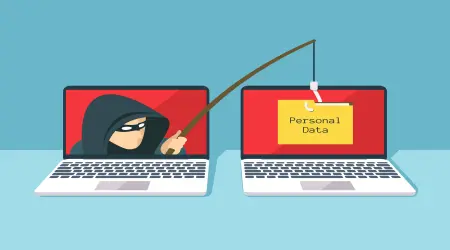
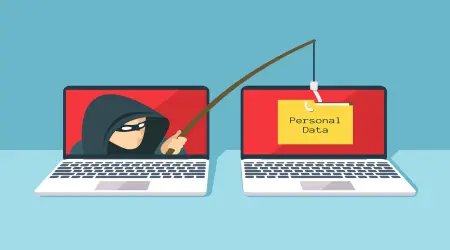
Every website you sign up for is a potential future data breach. Some of these sites have weak security, get sold to marketing companies, or simply never bother deleting your data after you stop using them. The more places your real email lives, the larger your exposure becomes.
The fix: Reserve your real email for accounts that matter — banking, work, close contacts, and services you'll use long-term. For everything else (free trials, gated PDFs, forums you'll visit once, coupon codes), use a temporary email address instead.
Mistake 2: Reusing the Same Password Everywhere
This is the single most damaging habit in online security. When one website gets breached and your password leaks, attackers don't just try it on that one site, they run it against email providers, banks, and social media accounts automatically. If you reused that password, one breach becomes many.
The fix: Use a unique password for every account. A password manager makes this practical, since you only need to remember one master password while it generates and stores the rest.
Mistake 3: Skipping the Fine Print on Data Sharing
Most sign-up forms include a small, easy-to-miss checkbox or line of text about sharing your data with "partners" or "affiliates." Left checked by default, this can mean your email gets sold or shared the moment you hit submit, well before you've even used the service.
The fix: Actually glance at checkboxes before submitting a form. If a checkbox for marketing emails or third-party sharing is pre-checked, uncheck it. If the site doesn't allow you to opt out at all, that itself is a signal to think twice before signing up with real information.
Mistake 4: Ignoring Whether the Connection Is Secure
Typing personal information, including your email and password, into a page that isn't using HTTPS (look for the padlock icon in your browser) means that data can potentially be intercepted as it travels across the network.
The fix: Check for the padlock icon and "https://" before entering any credentials. If a sign-up page lacks basic HTTPS encryption, that's a strong sign the site isn't handling security seriously.
Mistake 5: Not Reading What You're Actually Signing Up For
Some sign-up flows quietly enroll you in more than you intended, a free trial that auto-converts to a paid subscription, a newsletter you didn't ask for, or an account that requires a manual cancellation process buried three menus deep.
The fix: Before confirming, skim for words like "trial," "subscription," "auto-renew," or "billing." A ten-second read can save you from an unexpected charge weeks later.
Mistake 6: Using Predictable Security Questions
"What's your mother's maiden name?" or "What city were you born in?" feel private, but this information is often publicly discoverable through social media or public records. Answering security questions honestly can make account recovery easier for an attacker, not just for you.
The fix: Treat security question answers like passwords. Use unique, unrelated answers (stored in your password manager) rather than truthful, guessable ones.
Mistake 7: Forgetting About the Accounts You No Longer Use
Old accounts from services you signed up for once and forgot about don't disappear, they sit there, holding your email and personal data indefinitely, often with outdated security practices protecting them. Each one is a dormant risk that can resurface years later in a breach you never saw coming.
The fix: Periodically review and delete accounts you no longer use. For accounts you're unsure about, check whether your email appears in any known breaches tied to that service.
The Simplest Fix for Most of These Problems
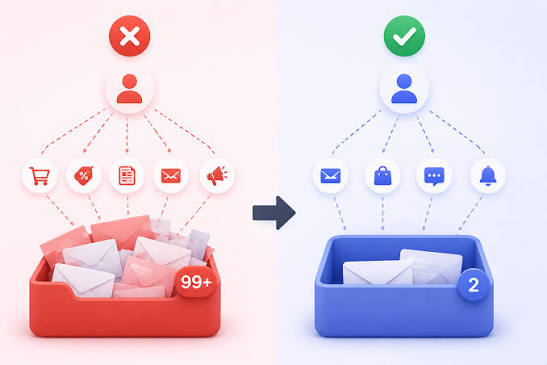
A large share of these mistakes trace back to one root cause: using your permanent, real email address for interactions that don't require long-term trust. A one-time download, a forum account you'll check once, a free tool you're only testing, none of these need your actual identity attached.
Using a disposable email address for these situations solves several problems at once. It keeps your real inbox free of spam, limits how many places your real email exists (reducing future breach exposure), and gives you an easy way to tell which sites you can trust with more information later, since you can simply switch to your real email once a service proves itself worth the commitment.
Building the habit of pausing for two seconds before every sign-up, real email or temporary, secure connection or not, pre-checked box or not, is a small effort that prevents most of the headaches on this list before they start.