SMTP, IMAP, and POP3 Explained: A Beginner's Guide to How Email Actually Works
Every time you send or receive an email, a set of protocols works quietly in the background to make sure your message reaches the right inbox. Most people never think about them — but understanding the basics can help you troubleshoot email issues, set up accounts correctly, and even appreciate why services like temporary email work the way they do.
The Three Protocols You Need to Know
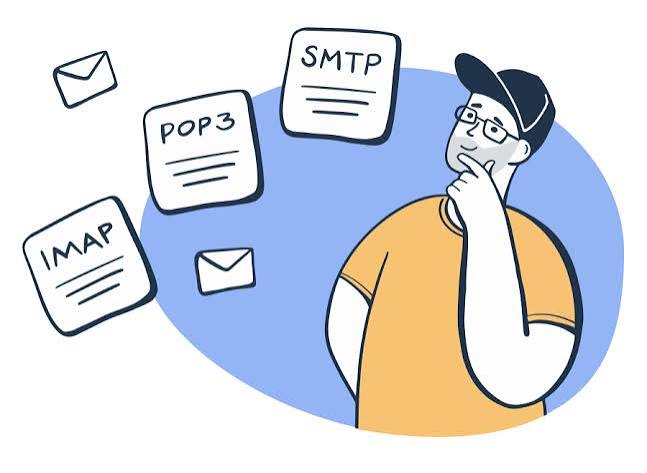
Email relies on three main protocols, each handling a different part of the process: sending, storing, and retrieving messages.
SMTP (Simple Mail Transfer Protocol)
SMTP is the protocol responsible for sending email. When you hit "send," your email client hands the message to an SMTP server, which figures out where it needs to go and passes it along — sometimes through several servers — until it reaches the recipient's mail server.
Think of SMTP as the postal worker who picks up your letter and routes it through the sorting system. It doesn't care what's in your inbox; its only job is delivery.
Default ports: 25 (traditional), 587 (submission, most common today), 465 (SSL/TLS encrypted)
IMAP (Internet Message Access Protocol)
IMAP is one of two protocols used for retrieving email — but it works by keeping your messages on the server and syncing them across every device you use. Open your inbox on your phone, delete a message, and it disappears on your laptop too, because everything stays synced with the server in real time.
This is why IMAP is the standard choice for most modern email services: it works seamlessly whether you're checking mail from a phone, a browser, or a desktop app.
Default ports: 143 (standard), 993 (SSL/TLS encrypted)
POP3 (Post Office Protocol version 3)
POP3 is the older of the two retrieval protocols. Instead of syncing, it downloads your messages directly to a single device and, in many configurations, removes them from the server afterward. This made sense in the early days of the internet when people checked email from one computer, but it creates headaches today — if you download your mail via POP3 on your phone, it may no longer appear when you check from your laptop.
Default ports: 110 (standard), 995 (SSL/TLS encrypted)
How They Work Together
Here's a simplified journey of a single email:
- You write a message and hit send. Your email client passes it to an SMTP server.
- The SMTP server locates the recipient's mail server and delivers the message.
- The message sits on the recipient's mail server, waiting to be read.
- The recipient's email client connects using IMAP (or occasionally POP3) to retrieve and display the message.
SMTP handles the outgoing journey; IMAP or POP3 handles how you actually see what landed in your inbox.
Why This Matters for Everyday Users
You don't need to memorize port numbers to use email effectively, but a basic understanding helps in a few practical situations:
- Setting up a new email client: Most configuration screens ask for SMTP, IMAP, or POP3 server details. Knowing what each one does makes it far less confusing.
- Troubleshooting sync issues: If your sent emails don't appear on all your devices, checking whether you're using IMAP or POP3 is often the first step to fixing it.
- Understanding temporary email services: Services like MaildropX rely on the same underlying protocols — SMTP delivers messages, and the inbox you see live-updating on the page functions similarly to an IMAP connection, just simplified and without any client setup required.
A Quick Comparison
| Protocol | Purpose | Syncs Across Devices | Common Use Today |
|---|---|---|---|
| SMTP | Sending mail | N/A | Universal, used by all email services |
| IMAP | Retrieving mail | Yes | Standard for most modern accounts |
| POP3 | Retrieving mail | No | Rare, mostly legacy systems |
The Bottom Line
Email feels instantaneous, but there's a well-established system of protocols working behind every message you send or receive. SMTP gets your message moving, while IMAP and POP3 determine how — and where — you actually get to read it. Understanding this basic architecture makes troubleshooting easier and gives you a clearer picture of what's really happening every time you hit "send."